KioskPrint
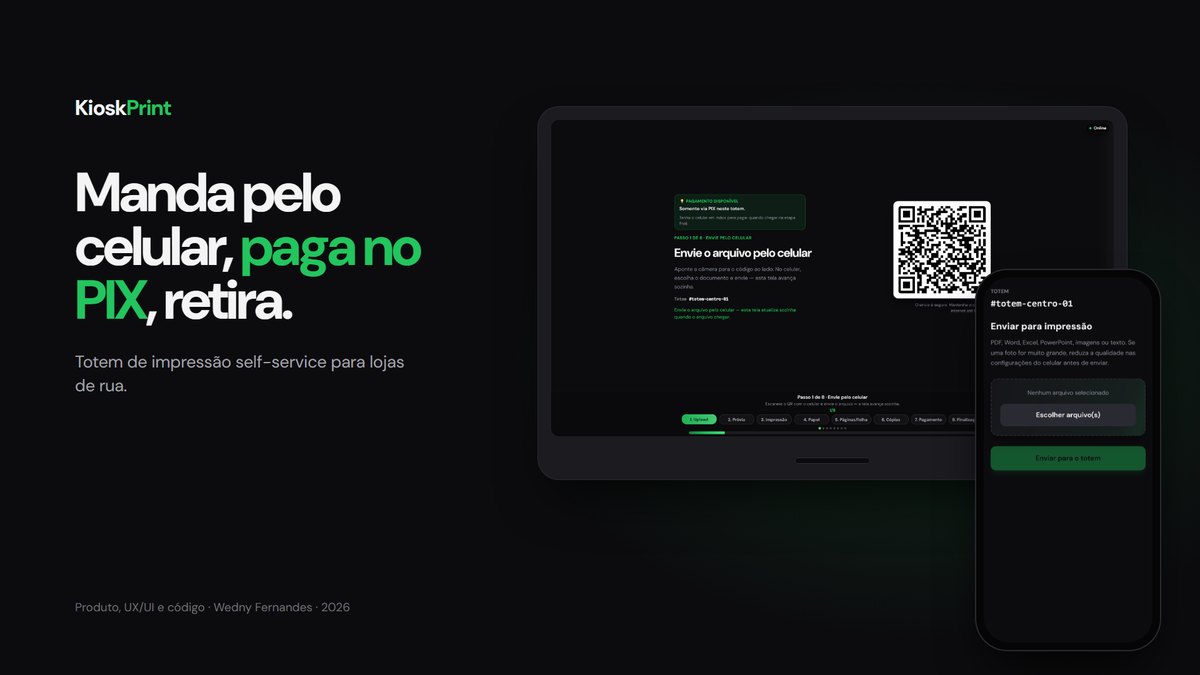
Self-service printing kiosk: send the file from your phone by QR, pay instantly, print.
The pain
Printing a document away from home still depends on someone else. You walk into a stationery shop, wait for the clerk, email the file to the shop and hope the computer opens it.
For the shop, it is a request that arrives every day and mostly gets in the way. It pulls a clerk off the counter, touches the cash register computer and earns cents per page. Plenty of shops would rather say no.
Who I designed it for
For two very different people. The first is standing at the kiosk in a hurry, with a bill or a résumé on their phone and no wish to read instructions. The second is the stationery or pharmacy owner, who wants the printing revenue without pulling anyone off the counter and wants to see on their phone how much they sold and when paper will run out.
How I solved it
I built the whole product alone: the kiosk screens, the phone page, the server, the shop dashboard and the program that talks to the printer on Windows.
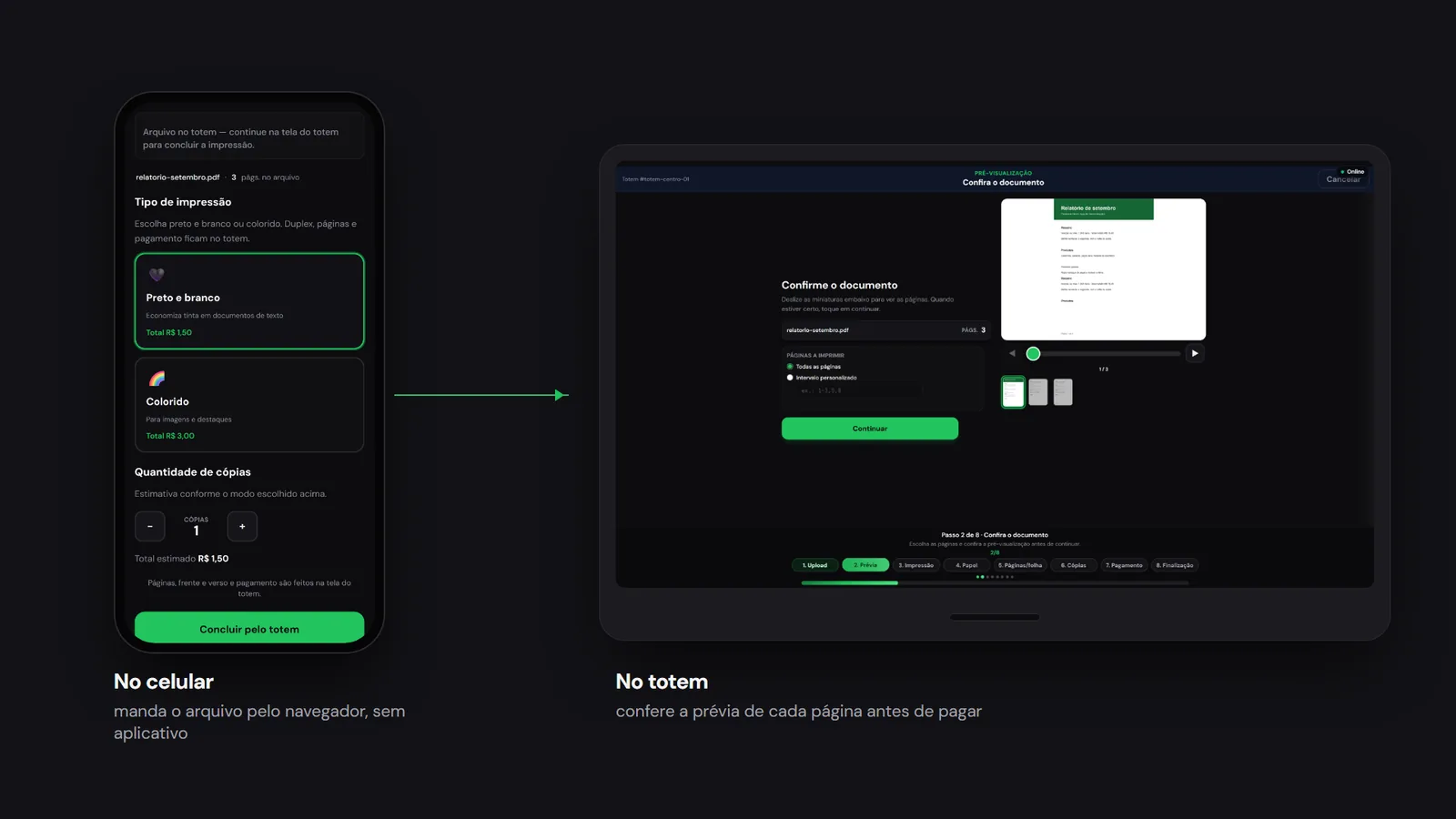
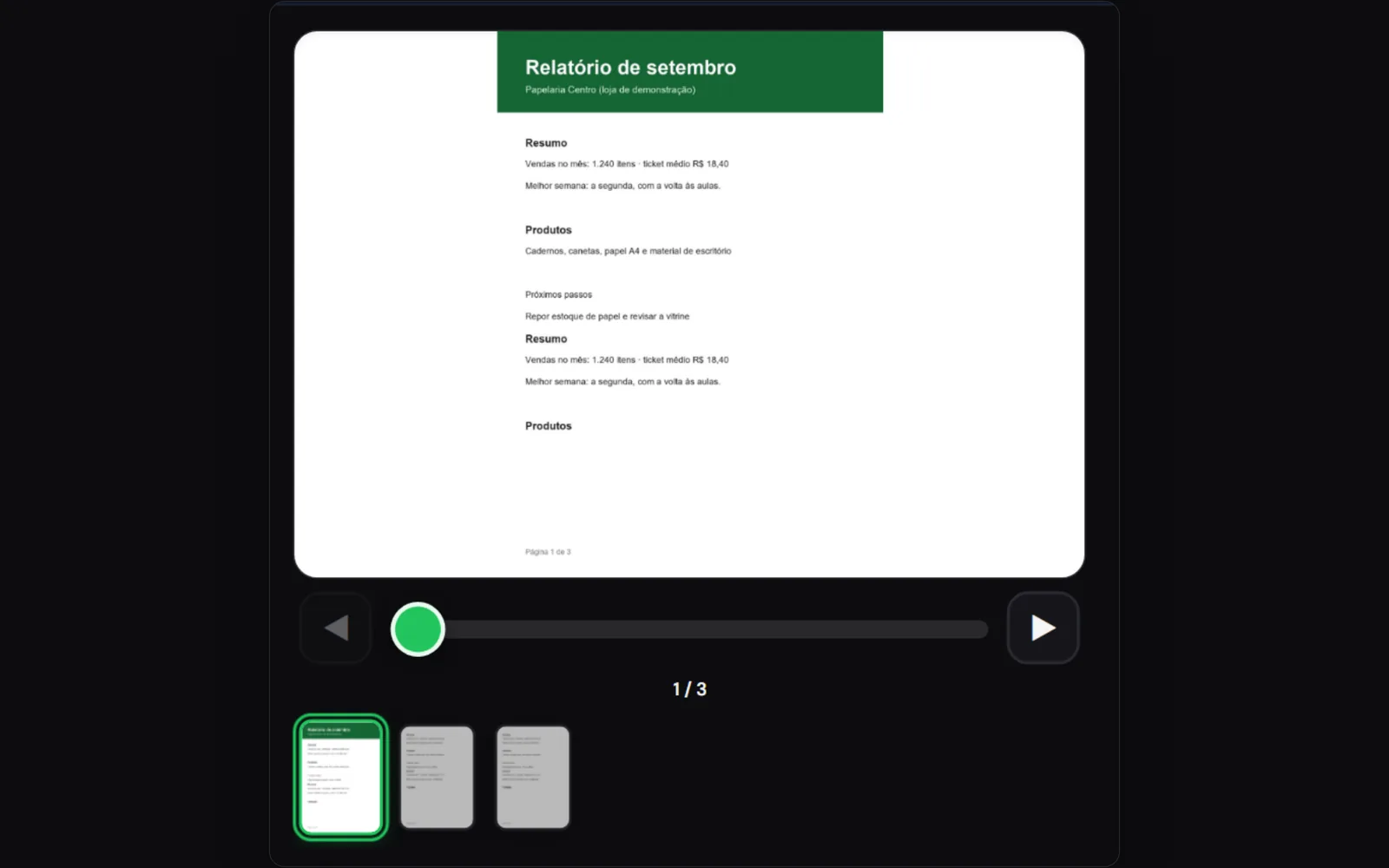
The first decision was taking the keyboard out of the conversation. The kiosk shows a QR code, the customer opens the page in their own phone browser, with nothing to install, and sends the file from there. Word, Excel and photos arrive converted to A4, and every page shows on screen before anything is charged.
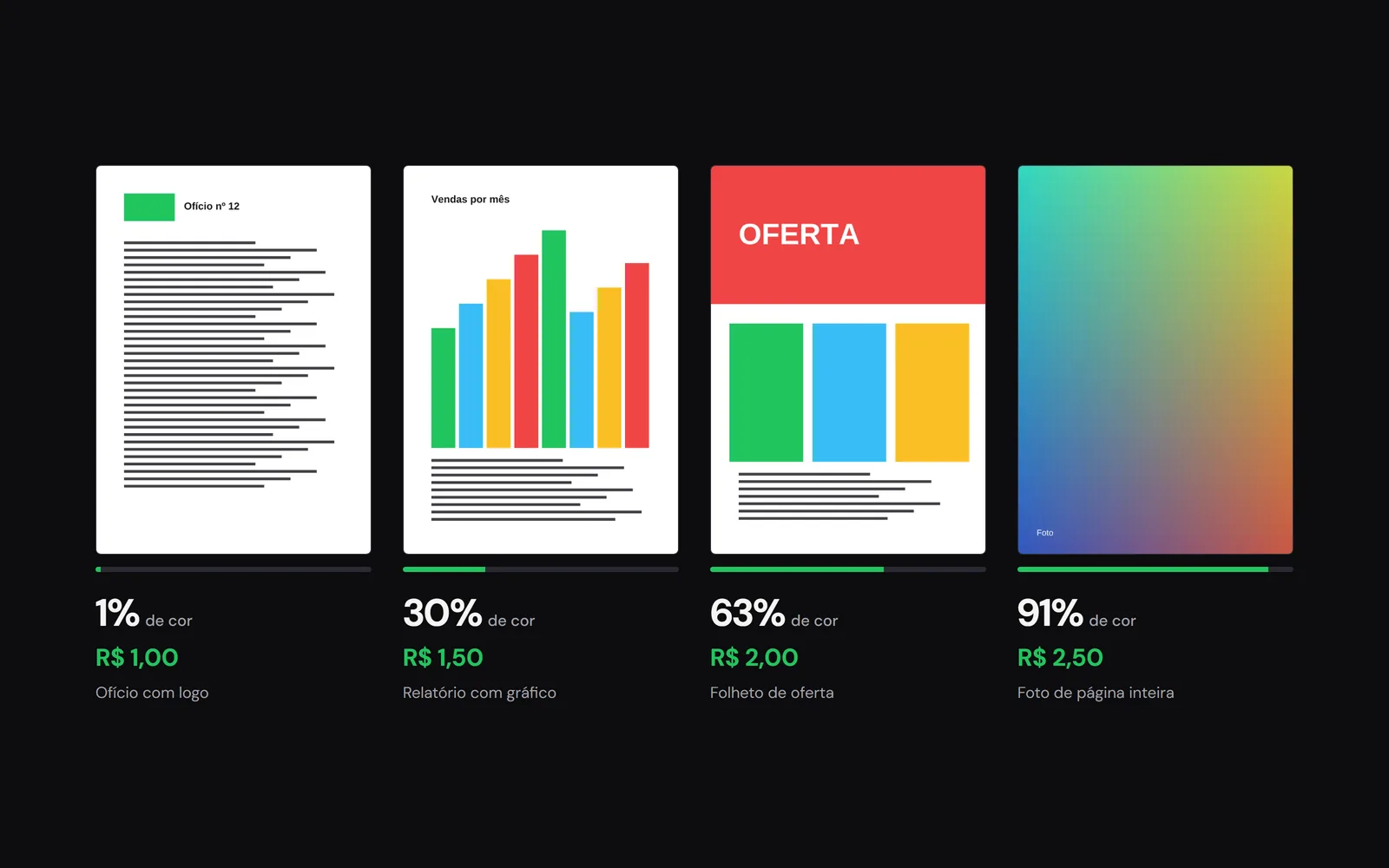
Color is charged by the ink the page uses. The system measures how much of each page is colored and places it in one of four price tiers. In the example below, a letter with a logo costs R$ 1.00 and a full-page photo R$ 2.50, so nobody pays photo prices for a green header.
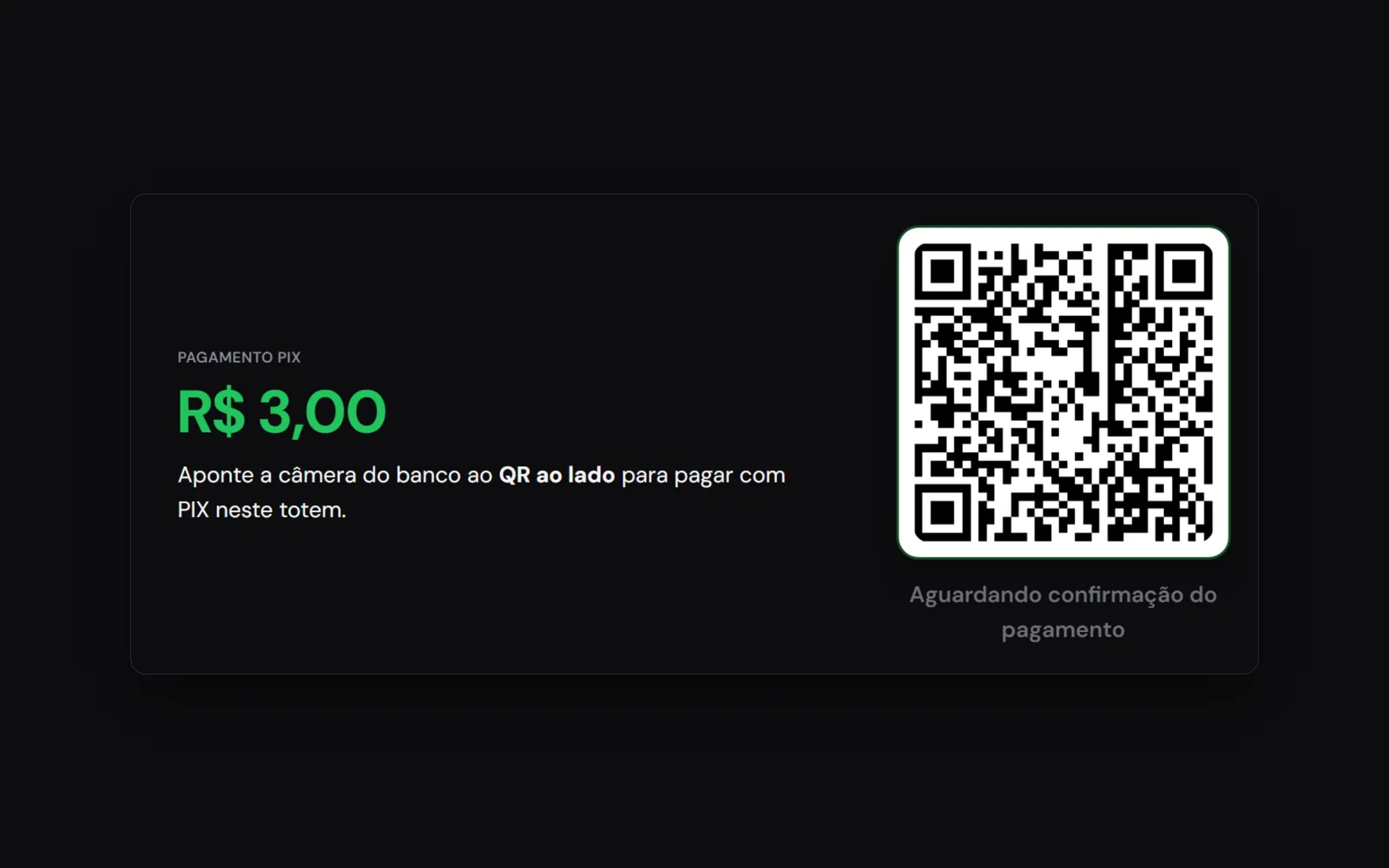
Payment is Pix, Brazil's instant payment, and it confirms itself. If the printer fails halfway, the money goes back to the customer without anyone opening a ticket.
What the shop owner gets
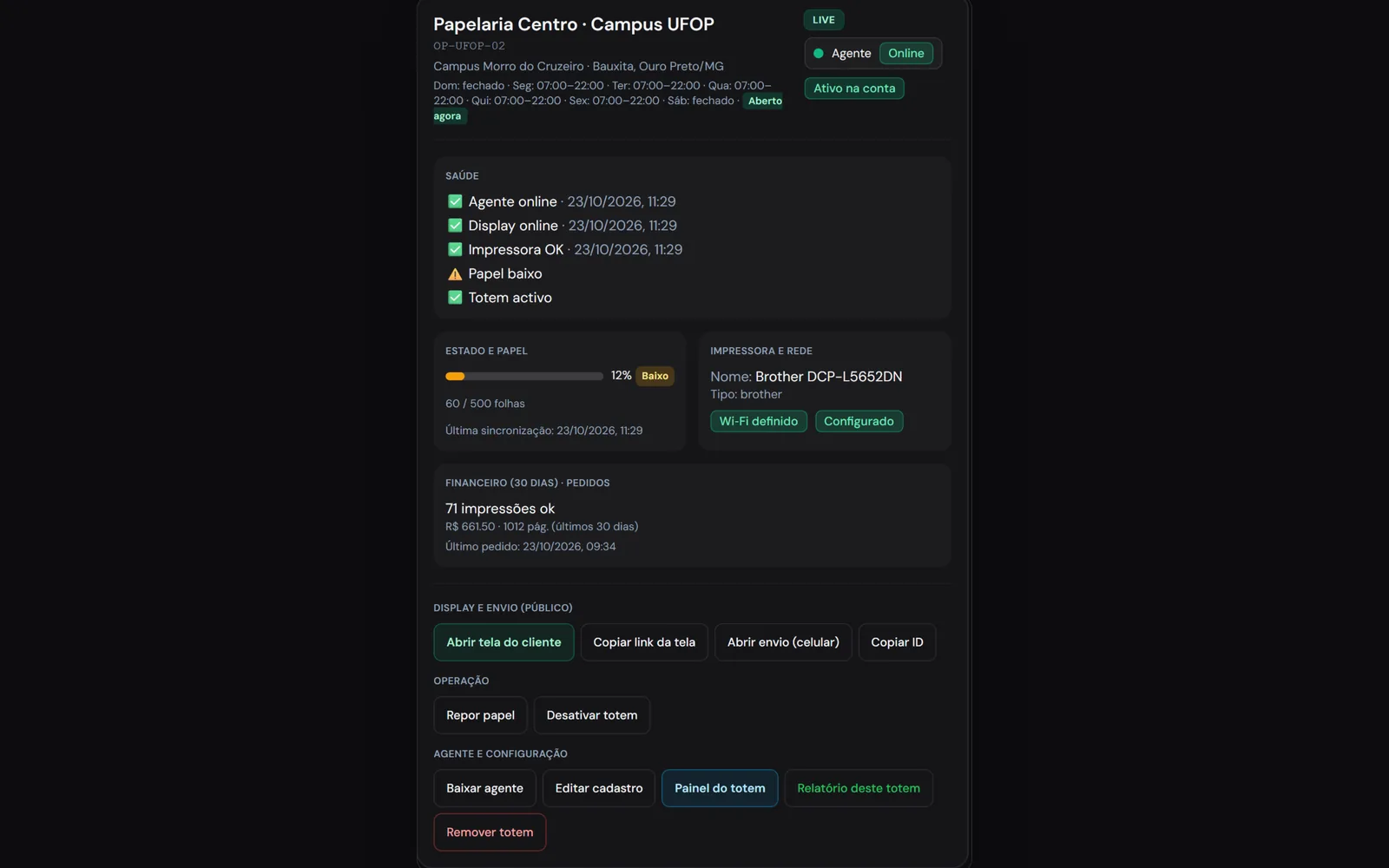
A service they used to turn down becomes revenue that ties nobody up. The staff's job becomes refilling paper when the kiosk itself says it is running low. In the dashboard, each kiosk shows whether the program, the screen and the printer are responding, how many pages went out and how much paper is left.
There are two ways in: on loan, buying no equipment and earning a share of sales, or with their own kiosks, keeping the revenue.
Website and map
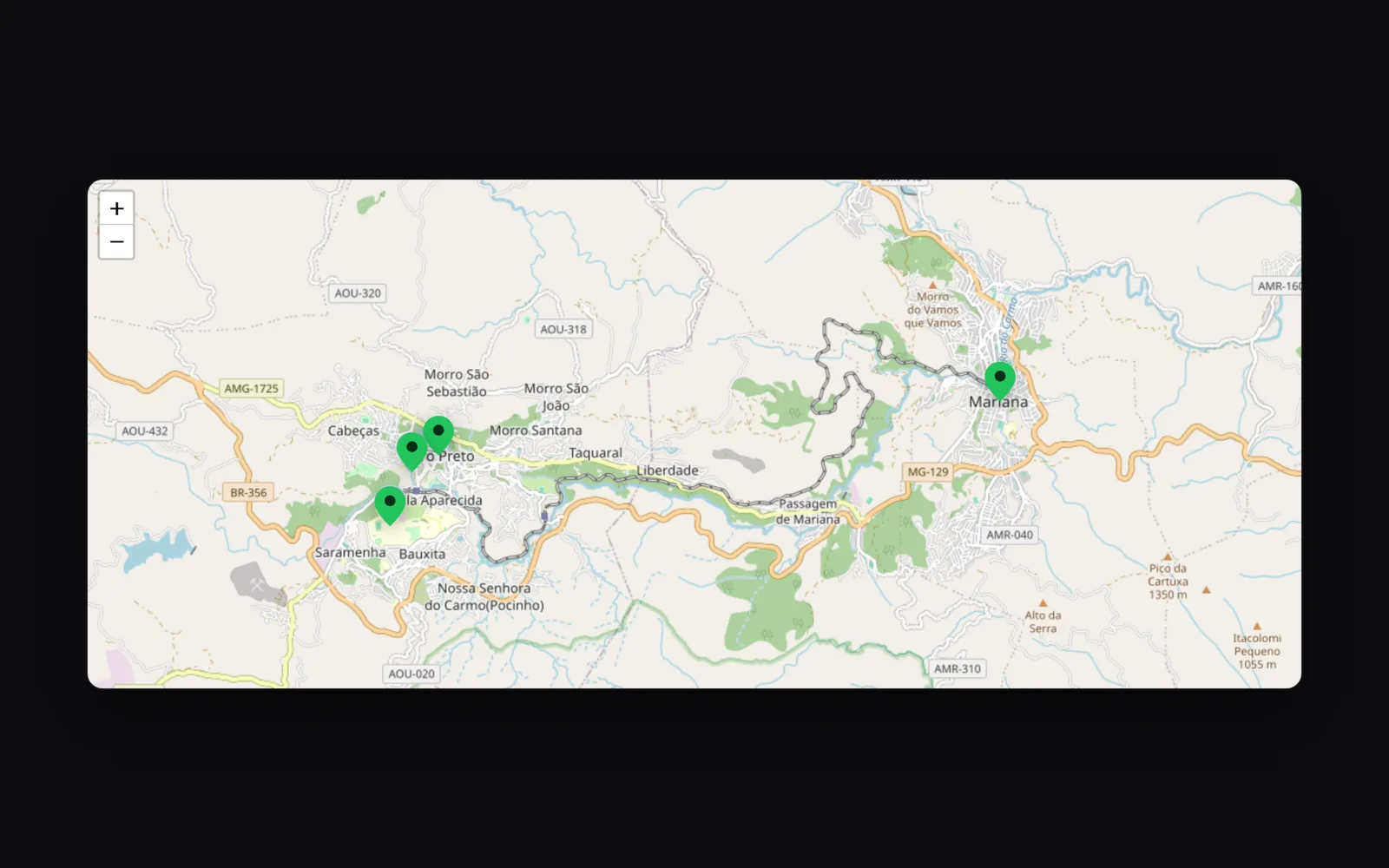
I also designed the website, which does two jobs: it convinces shop owners to host a kiosk and shows customers where to print, on a map with Google Maps directions to each location. When nobody is using the kiosk, the screen becomes ad space.
Before growing
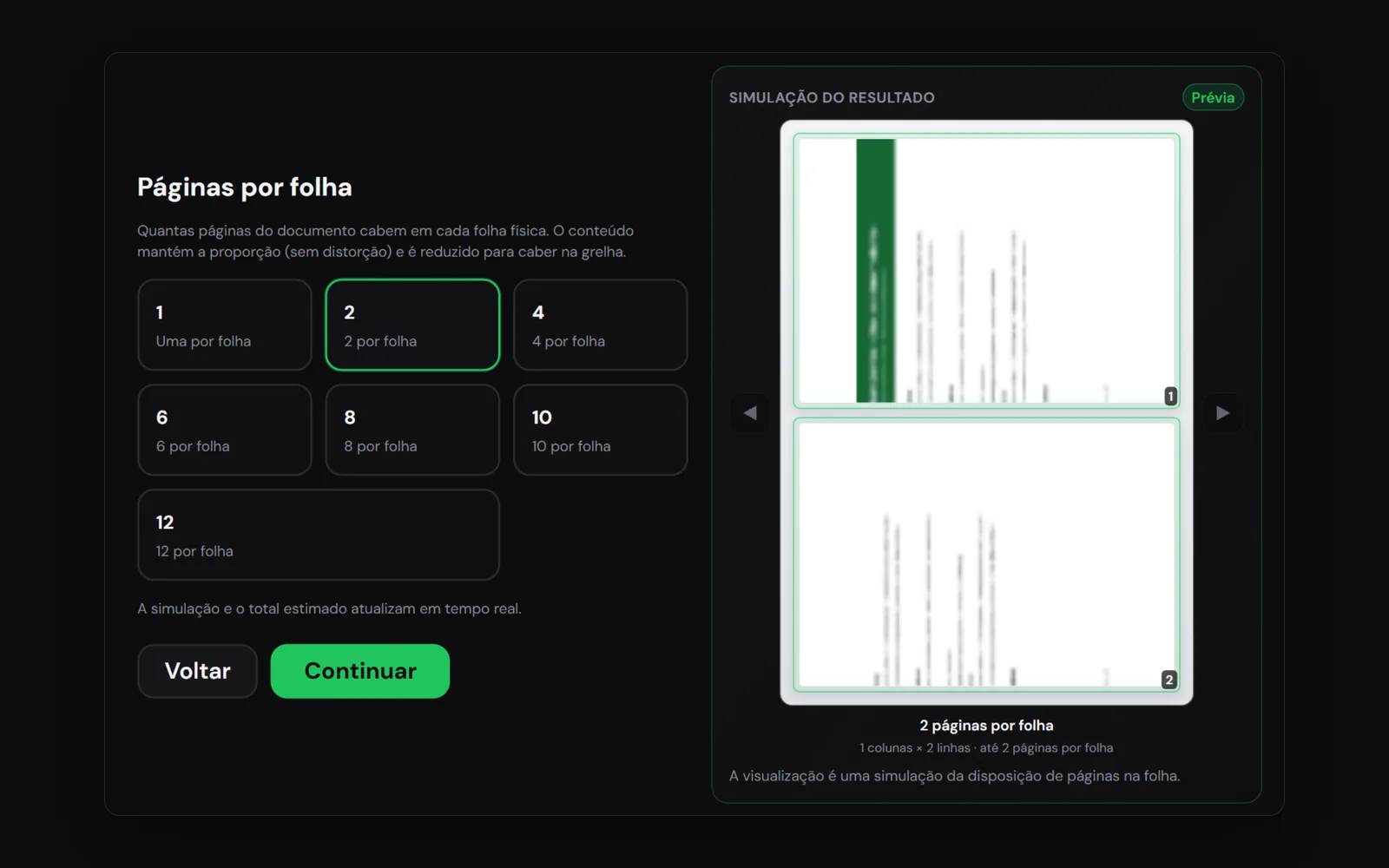
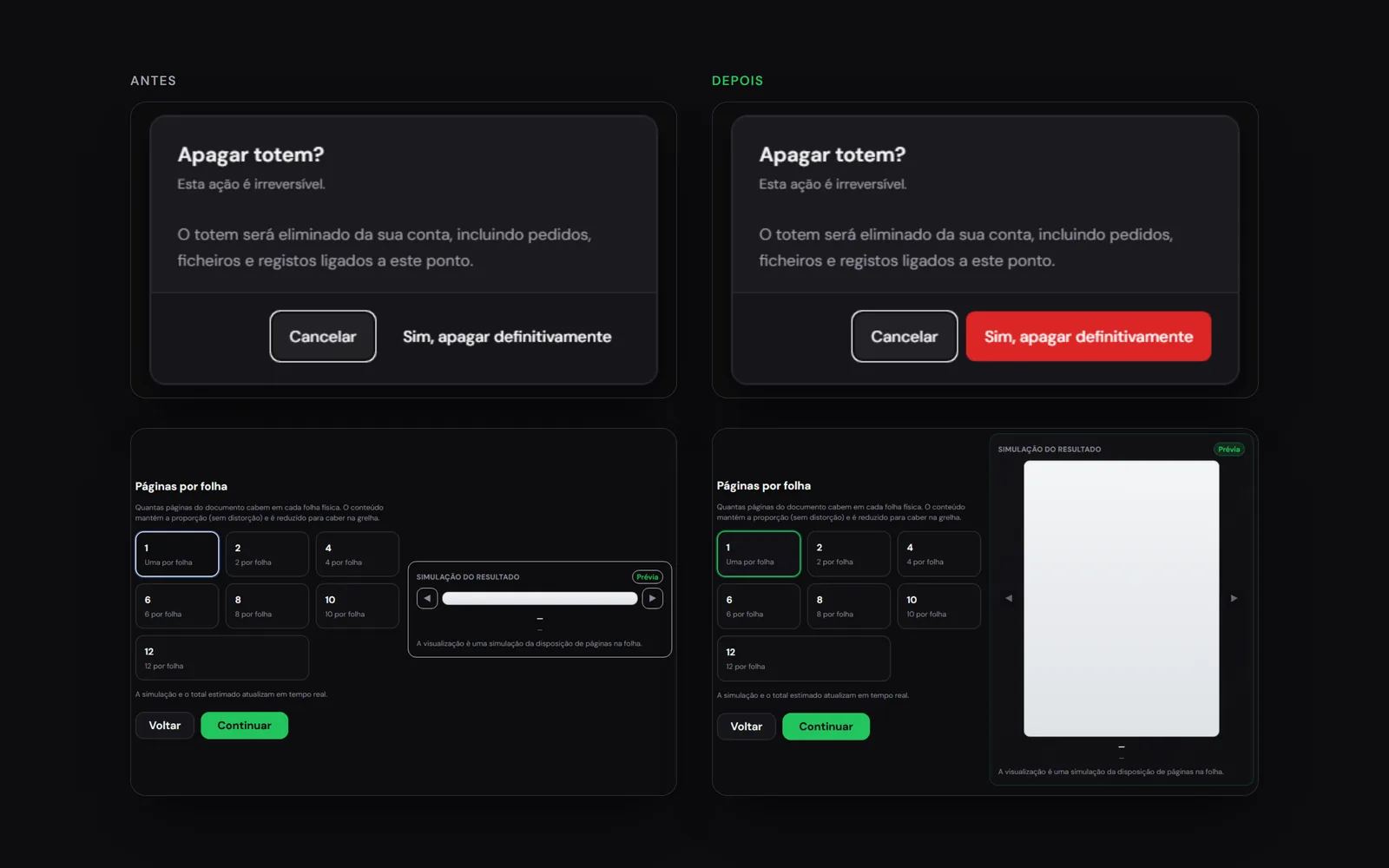
Before taking the kiosk to more shops, I reviewed everything as if someone else had written the code, from the screens to the database. The list was not short. There were buttons without enough contrast and text too small to read standing up, the phone page blocked zoom, and a stale stylesheet in production hid dashboard buttons and flattened the pages-per-sheet preview, as you can see below.
On the server the findings were more serious. A customer's document could be opened with just the order number, the automatic cleanup deleted files from orders already paid, stuck orders were never refunded, and partners on the loan model showed as owing the 10% they were actually due to receive. I fixed all of it and left an automated test for each case, so none of them comes back.
Result
KioskPrint is live. The customer sends the file from their phone, pays with Pix and walks out with the page in hand without talking to anyone, and the shop earns from a request it used to send away.
Want something like this? Let us talk.
Tell me where your brand is stuck. 30 minutes solves the first part.
Let's talk