TraduzAI
Automates text variables in Illustrator and exports CSV for a translation workflow.
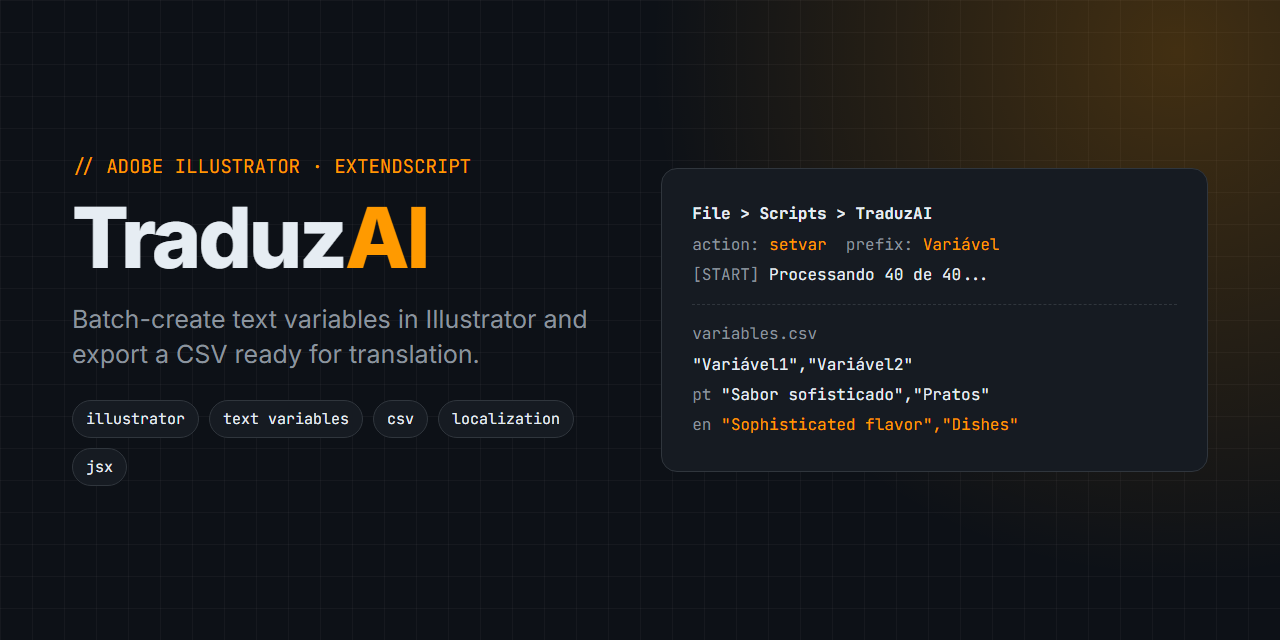
TraduzAI is an Adobe Illustrator script (ExtendScript .jsx with a ScriptUI panel) for designers who localize artwork: it runs your “make text dynamic” Action in batches over the selected text objects, then exports every text to a UTF-8 CSV that you translate and load back as an Illustrator variable library.
Turning each text in a piece into an Illustrator variable by hand, one at a time, is slow and repetitive. TraduzAI does it for the whole selection, with a progress bar and a cancel button, and builds the CSV for you.
Illustrator text variables · Illustrator translation script · export Illustrator text to CSV · multilingual design · localization workflow · Make Text Dynamic · data sets · ExtendScript JSX
Features
- Batch Action runner. Runs a named Action on every selected object through
app.doScript. - CSV export. Writes a UTF-8 (with BOM) CSV: one header row of variable names (
Variável1,Variável2…) and one row with the original text. - Export existing variables. The Exportar CSV Existente button scans the variables already in the document and exports them.
- Progress and cancel. Live progress bar, cancel button, and a timeout prompt for long runs.
- Safe on weak machines. Processes at most 2 objects per batch with pauses between batches. Warns above 50 selected objects and asks again above 100.
- Automatic backup. Optional checkbox (on by default) that saves a
-backup.aicopy before processing. - Any Illustrator language. Action name, Action set and variable prefix are editable in the panel. See LANGUAGE-CONFIG.md for Action set names per language.
Requirements
- Adobe Illustrator 2023 or newer (
package.jsondeclares"illustrator": ">=2023"; tested up to 2025) - An Illustrator Action that converts the selected text into a variable
Install
- Copy
TraduzAI.jsxinto Illustrator’s Scripts folder:- Windows:
C:\Program Files\Adobe\Adobe Illustrator [version]\Presets\[language]\Scripts\ - macOS:
/Applications/Adobe Illustrator [version]/Presets/[language]/Scripts/
- Windows:
- Restart Illustrator so it appears under File > Scripts.
Usage
- Create the Action once: open Window > Actions, create an Action (for example
setvar), and record Window > Variables > Make Text Dynamic on a selected text object. Stop recording. - Open your document. Ungroup text if needed; ungrouped objects process more reliably.
- Select the text objects and run File > Scripts > TraduzAI.
- In the panel, set the Action name, the Action set and the variable prefix, choose whether to back up, and click START.
- When processing finishes, accept the prompt to export the CSV.
File > Scripts > TraduzAI
> Action name: setvar
> Action set:  Ações Padrão
> Prefix:      Variável
> START
Processando 40 de 40...
Processamento concluído! Ação 'setvar' executada para 40 objetos.
Export CSV? [Yes]  ->  CSV saved
Translation workflow
- Run the script on the source-language text and export the CSV.
- Add one new row per target language below the original row, keeping the header.
- Translate with Google Sheets (its built-in translate function) or with an AI assistant, keeping the CSV rows intact.
- Replace line breaks
\nwith^nin the translated text. Illustrator variables need^n. - In Illustrator, load the translated CSV as a variable library and switch between data sets in the Variables panel to apply each language.
CSV format:
"Variável1","Variável2","Variável3"
"Original text 1","Original text 2","Original text 3"
"Translation 1","Translation 2","Translation 3"
Configuration
Defaults live at the top of TraduzAI.jsx and can also be changed in the panel:
| Constant | Default | Meaning |
|---|---|---|
ACTION_NAME |
setvar |
Exact name of your Action |
ACTION_SET |
Ações Padrão |
Action set name (e.g. Default Actions in English Illustrator) |
VARIABLE_PREFIX |
Variável |
Prefix for CSV column names, numbered automatically |
The batch size limit of 2 (Math.min(batchSize, 2) in TraduzAI.jsx) is hardcoded on purpose and is not exposed in the UI.
Troubleshooting
| Problem | Fix |
|---|---|
| “Action not found” | The Action name must match ACTION_NAME exactly |
| “Action set not found” | Set ACTION_SET to the name used by your Illustrator language |
| Accents look broken in Excel | Import the CSV choosing UTF-8 encoding |
| Line breaks do not work in Illustrator | Replace \n with ^n in the translated text |
| Script freezes on large selections | Process smaller batches (50 to 100 objects) |
Project structure
TraduzAI.jsx          # the script: ScriptUI panel, batch processing, CSV export
LANGUAGE-CONFIG.md    # Action set names and prefixes per Illustrator language
README-ptBR.md        # Portuguese documentation
TradutorCSVpy/        # legacy Python CSV translator (googletrans), separate docs, not part of the script flow
FAQ
Can the script create the Action for me? No. The Action must already exist in Illustrator before you run the script.
Does TraduzAI translate the text itself? No. It prepares the variables and the CSV. You translate the CSV in a spreadsheet, with an AI assistant or with a translator, then load it back in Illustrator.
My Illustrator is in English. What do I change?
Set the Action set to Default Actions and, if you like, the prefix to Variable, either in the panel or at the top of TraduzAI.jsx.
How many objects can I process at once? Any number, but the script recommends up to 50 per run on weaker machines and asks for confirmation above 50 and above 100.
License
MIT © Wedny Fernandes